 keeuc
keeucOpen Locket if…
you want your best friends to see this right now, on their home screen, with no caption and no fuss.
Keeuc vs Locket
Locket puts live photos from your closest friends on your home screen. Keeuc turns a photo or a 5-second video into a story card you post. Here is how they differ, and when to use which.
Locket facts from its App Store listing, checked October 2026.

 bestie
The short version
Locket is for sending. A photo goes straight to the home screen widget of up to 20 close friends. It is quick, private and made for "look at this right now".
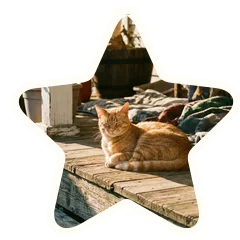
Keeuc is for keeping and posting. Your photo or 5-second clip becomes a star scatter or polka dot card with your words, ready as a 4:5 card or a 12-second story video.
You do not have to pick one. Send the raw moment on Locket, then make it a keeuc when it deserves a story.
Side by side
| What you care about | Keeuc | Locket |
|---|---|---|
| What it is for | Turning one photo or short video into an aesthetic story card | Sending live photos to close friends' home screens |
| Who sees it | Anyone you share it with, usually on Instagram | Your Locket friends, up to 20 |
| What you get | A 4:5 card or a 12-second 9:16 story video | A photo on your friends' widget, plus a history you can share as a recap |
| Video | Yes, a 5-second clip plays through the cutout | A video recap of your history (length not stated in the listing) |
| Your words | Caption, place, date and time, feeling | Emoji reactions from friends |
| Look and feel | Star scatter and polka dot cutouts, textured papers, pastel colors | Your photo as taken |
| Where it runs | In your phone's browser now, no install needed; iPhone app coming soon | App (App Store, Editors' Choice, 4.8 from 576K ratings) |
| Price | Free. Extras unlock with keeuces, never with money | Free, with Locket Gold in-app purchases ($1.99 to $36.00 listed) |
Honest take
Use both
Send it on Locket. Keep it on Keeuc.
Which one today?
you want your best friends to see this right now, on their home screen, with no caption and no fuss.
the moment deserves a story: you want it to look like the star scatter edit, say where and how it felt, and post it.
FAQ
Not exactly. Locket sends photos to friends' home screen widgets. Keeuc turns a photo or 5-second video into a story card you share, mostly on Instagram. Many people will use both.
Yes. Keeuc is free, and extras unlock with keeuces, never with money. Locket is free with optional Locket Gold in-app purchases.
Yes. Save the photo to your phone, then upload it to Keeuc and turn it into a card. Our privacy policy explains what happens to the photos you upload.
Locket's App Store listing says you can have up to 20 friends. Keeuc has no friend list; you share your card wherever you like.
No. Keeuc runs in your phone's browser at keeuc.techieslab.app/m/. An iPhone app is coming soon.
More questions about Keeuc itself? Read the Keeuc FAQ, or meet the small team behind it.
More comparisons
The daily unfiltered snap versus a moment you choose to make special.
Retro film look with a date stamp versus a story card with your words.
Wait-for-it disposable camera versus a card ready to post right now.
Film-style presets and a photo community versus one-tap star scatter cards.
Got a moment worth a story?
Make a keeuc